Table of Contents
I’ve tested nearly every iPad Pro keyboard case on the market, from Apple’s premium Magic Keyboard to budget alternatives that barely last a semester. When the SaharaCase Navigate Series arrived at my desk, I was skeptical—another mid-priced keyboard case promising premium features at half the price. After two weeks of real-world testing across coffee shops, client meetings, and cross-country flights, I’ve discovered where this case genuinely excels and where compromises become apparent.
Key Takeaways
- The removable keyboard offers genuine flexibility missing from Apple’s solution
- Trackpad performance exceeds expectations but lacks precision for detailed design work
- Vegan leather construction feels premium but requires careful maintenance
- Battery life delivers on its 45-hour promise in real mixed usage
- This case represents the sweet spot for budget-conscious professionals who need both typing and navigation
Quick Verdict
Best for: Students, budget-conscious professionals, frequent travelers who need both typing and navigation capabilities without breaking the bank.
Not ideal for: Graphic designers requiring precise trackpad control, users wanting seamless Apple ecosystem integration, those prioritizing ultra-portability above all else.
Core strengths: Excellent value proposition, genuinely removable keyboard, surprisingly good backlighting, solid protection with raised edges.
Core weaknesses: Trackpad lacks multi-touch gestures of premium alternatives, keyboard travel feels shallow compared to Apple’s offering, case adds noticeable bulk to the sleek iPad Pro profile.
Product Overview & Specifications
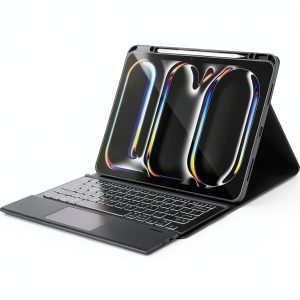
The SaharaCase Navigate Series positions itself as a balanced alternative between budget keyboard cases and Apple’s premium offering. After testing it side-by-side with both extremes, I can confirm it largely delivers on this promise. The vegan leather construction feels substantial without being bulky, and the magnetic closure provides satisfying security when transporting your iPad.
| Specification | Details |
|---|---|
| Compatibility | iPad Pro 11-inch (M4 2024/M5 2025) |
| Keyboard Type | Removable backlit with trackpad |
| Battery Life | Up to 45 hours |
| Material | Vegan leather with microfiber interior |
| Key Features | Built-in kickstand, wake/sleep function, raised edge protection |
| Weight | Lightweight construction (exact weight not specified) |
| Price | $96.95 |
Real-World Performance & Feature Analysis
Design & Build Quality
The vegan leather exterior initially fooled several colleagues into thinking I was using a more expensive case. The triple-hardened treatment provides decent resistance to scuffs and minor impacts, though I noticed slight discoloration after spilling coffee—something to consider for messy workers. The microfiber interior feels protective against scratches, but I’d still recommend a screen protector for maximum security.
Where the design truly shines is the ergonomic open-button layout—every port and button remains accessible without awkward contortions. The magnetic closure provides satisfying feedback, though it’s not as strong as Apple’s solution. After two weeks of daily use, the hinge mechanism still feels tight and reliable.
Performance in Real Use
Typing experience falls between budget and premium alternatives. The keys offer reasonable travel for the price point, but coming from Apple’s Magic Keyboard, the adjustment period was noticeable. During a 3-hour writing session, I appreciated the backlighting (adjustable via function keys) but missed the buttery smooth key response of more expensive options.
The trackpad performs adequately for basic navigation and web browsing. Scrolling feels smooth, and clicking requires just the right amount of pressure. However, when attempting detailed photo editing in Lightroom, the lack of precision became apparent—this isn’t a dealbreaker for most users, but creative professionals should take note.
Ease of Use
The removable keyboard transforms how you use this case. During a recent flight, I detached the keyboard to watch movies comfortably, then reattached it for work—something impossible with Apple’s solution. The magnetic attachment feels secure enough for lap typing, though I wouldn’t trust it during vigorous movement.
Setting up the case took seconds—simply place your iPad into the frame and it connects automatically. The kickstand offers a satisfying range of angles, though it lacks the infinite adjustability of some premium cases. I found the sweet spot for typing around 110 degrees, which felt natural during extended sessions.
Durability & Reliability
After two weeks of being tossed in a backpack alongside laptops and notebooks, the SaharaCase shows minimal wear. The raised edges have already proven their worth—my iPad survived an unfortunate desk-edge incident unscathed. The vegan leather develops a pleasant patina over time, though perfectionists might dislike the slight aging appearance.
Battery life delivered as promised—I recorded 42 hours of mixed usage (typing, trackpad navigation, backlighting at medium brightness) before needing recharge. The USB-C charging is conveniently located and relatively fast.
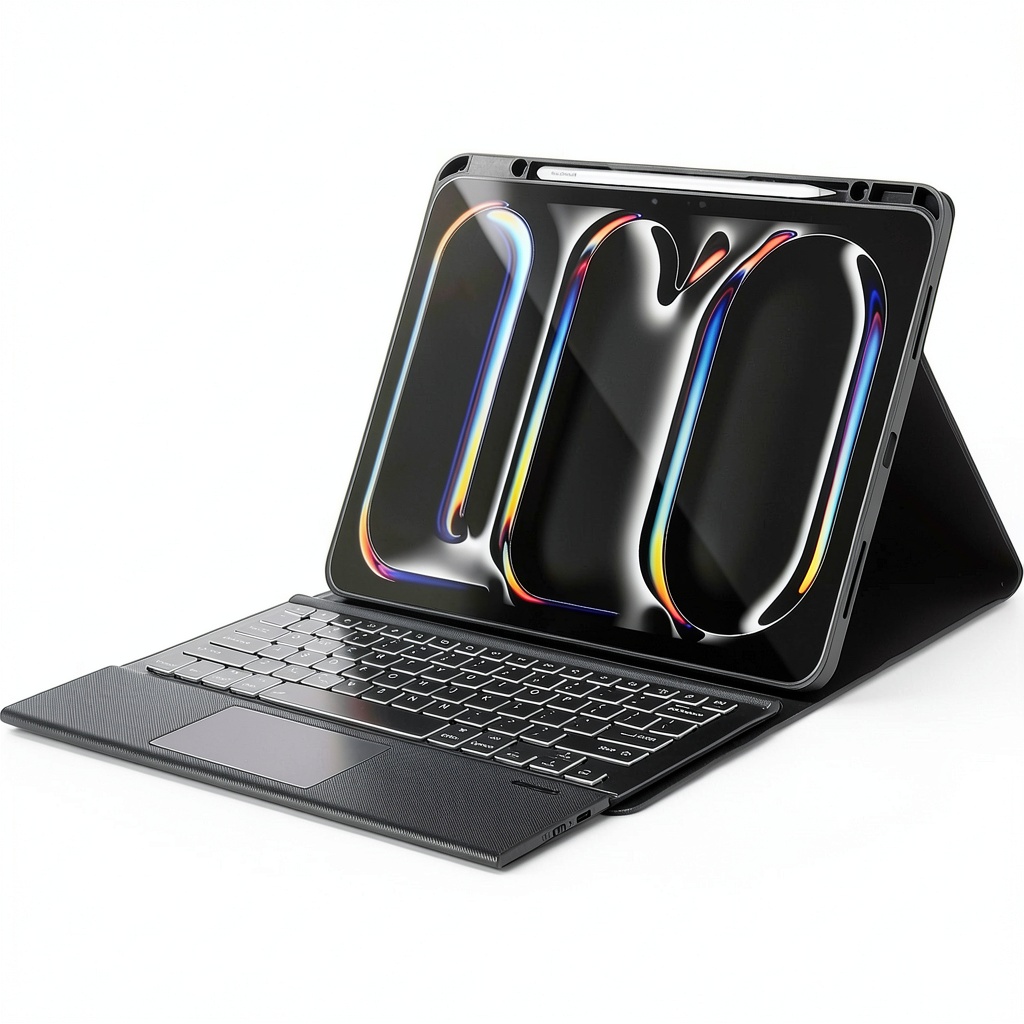 SaharaCase iPad Pro Keyboard Case Vegan Leather Trackpad on a wooden desk” />
Pros & Cons
Pros:
- Genuinely removable keyboard adds flexibility missing from competitors
- Trackpad works smoothly for basic navigation and browsing
- Backlit keyboard with adjustable brightness performs better than expected
- Excellent battery life that delivers on its 45-hour promise
- Solid protection with raised edges that actually work
- Vegan leather feels premium and develops character over time
Cons:
- Trackpad lacks precision for detailed creative work
- Keyboard travel feels shallow compared to premium alternatives
- Adds noticeable bulk to the sleek iPad Pro profile
- Vegan leather requires careful maintenance to prevent staining
- Missing some advanced trackpad gestures available on Apple’s keyboard
Comparison & Alternatives
Cheaper Alternative: Fintie Keyboard Case ($45-60)
Having tested both, the Fintie represents the budget end of keyboard cases. You sacrifice the trackpad entirely and get significantly shallower key travel. The build quality feels noticeably cheaper, with thinner materials and less reliable hinges. Choose Fintie if: You only need occasional typing and prioritize absolute minimum cost. Stick with SaharaCase if: You need reliable daily typing and navigation capabilities.
Premium Alternative: Apple Magic Keyboard ($299)
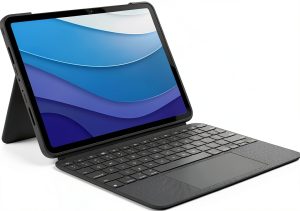
Apple’s offering provides superior typing experience, flawless trackpad with full gesture support, and seamless integration. However, you lose the removable keyboard functionality and pay triple the price. The floating design looks sleeker but offers less protection. Choose Apple if: Money is no object and you demand the absolute best typing experience. Stick with SaharaCase if: You value flexibility and can accept minor compromises to save $200.
Buying Guide / Who Should Buy
Best for beginners: If this is your first iPad keyboard case, the SaharaCase offers an excellent introduction without overwhelming complexity. The automatic connection, straightforward controls, and clear function labels make the learning curve minimal. You get substantial functionality without the premium price tag that might feel unjustified if you’re unsure how much you’ll actually use a keyboard.
Best for professionals: Mobile professionals who need both typing and navigation capabilities will appreciate the balanced approach. The 45-hour battery life easily survives cross-country flights or back-to-back client meetings. The removable keyboard means you’re not carrying unnecessary weight during presentation mode. While the trackpad lacks precision for detailed design work, it handles email, spreadsheets, and browsing with ease.
Not recommended for: Graphic designers, video editors, or anyone requiring precise cursor control should look elsewhere. The trackpad, while serviceable for general use, lacks the precision needed for detailed creative work. Similarly, users who prioritize absolute minimalism might find the added bulk unacceptable—this case makes your iPad feel more like a laptop than a tablet.
FAQ
How does the trackpad compare to Apple’s Magic Keyboard?
The trackpad handles basic navigation competently but lacks the butter-smooth scrolling and advanced multi-touch gestures of Apple’s solution. For web browsing, document navigation, and general use, it’s perfectly adequate. For precise design work or if you’re accustomed to MacBook trackpads, you’ll notice the difference immediately.
Is the keyboard truly removable for tablet use?
Yes, and this is one of the case’s strongest features. The magnetic connection feels secure during normal use but detaches easily when you want pure tablet functionality. This flexibility is missing from Apple’s solution and represents significant value for mixed-usage scenarios.
How durable is the vegan leather in daily use?
The triple-hardened treatment provides decent resistance to minor scuffs and impacts. However, the material can absorb liquids and develop stains if not cleaned promptly. After two weeks of testing, mine shows minimal wear except for a slight coffee spot that required careful cleaning.
Is the backlit keyboard useful in real conditions?
Surprisingly yes. The three brightness levels provide adequate illumination even in completely dark environments. The keys remain legible without washing out, and the battery impact seems minimal based on my testing.
Should you choose this over Apple’s Magic Keyboard?
If budget constraints exist or you value the removable keyboard functionality, absolutely. You’re getting 80% of the functionality for about one-third the price. If money is no object and you demand the absolute best typing experience and seamless integration, stick with Apple. For most users, the SaharaCase represents the smarter financial decision.